Most small businesses lose leads not because they lack interest, but because there is no system to catch them. Someone fills out a contact form, the email lands in a crowded inbox, and three days later nobody remembers to follow up. By then the lead has already contacted someone else.
You do not need an expensive CRM or a marketing platform to fix this. With N8N, which is free and open-source, you can build a complete lead capture system that catches every submission, organises it, and notifies the right person instantly. Here is how to do it, end to end.
What you will need
This setup uses only free tools. You will need an N8N instance (self-hosted is free, or you can use their free cloud tier for testing), a Google account for Sheets, and a form on your website. If your website does not have a form yet, even a simple HTML form or a free tool like Tally or Google Forms works.
Step 1: Capture the form submission
If your form is on WordPress, the easiest path is using a plugin like Contact Form 7 or WPForms, both of which have free versions and can send data to a webhook on submission. N8N provides a webhook trigger that listens for this.
Set up a Webhook node in N8N as your trigger. This generates a unique URL. Configure your form plugin to send a POST request to that URL whenever someone submits the form, including their name, email, message and any other fields you collect.
If you are using Tally or Google Forms instead, both have native integrations that can trigger N8N directly without any plugin.
Step 2: Store the lead in a spreadsheet
The moment the webhook receives data, add a Google Sheets node to write a new row. Map the fields from the form (name, email, message, date) into columns. This becomes your simple, searchable database of every lead, with zero setup cost.
Add a timestamp column using an expression like the current date and time, so you always know when each lead came in.
Step 3: Notify yourself instantly
Add a notification step right after the spreadsheet write. The free options that work well are Telegram, which is instant and simple to set up with a bot token, or email using N8N’s built-in email node if you have SMTP credentials from your email provider.
The message should include the lead’s name, contact info and what they are interested in, so you can act on it within minutes rather than discovering it days later.
Step 4: Send an automatic acknowledgement
While the lead is fresh, send them an automatic confirmation email. Something simple: thank you for reaching out, here is what happens next, and roughly when they can expect to hear back.
This single step massively improves the experience for the person reaching out. They know their message was received, even if a human response takes a few hours.
Step 5: Add a follow-up reminder
If nobody marks the lead as contacted within 24 hours, you want to know. Add a Wait node followed by a check against your spreadsheet. If the lead status is still empty after the wait period, send yourself a reminder notification.
This step alone prevents the most common way leads get lost: simply forgetting.
Putting it all together
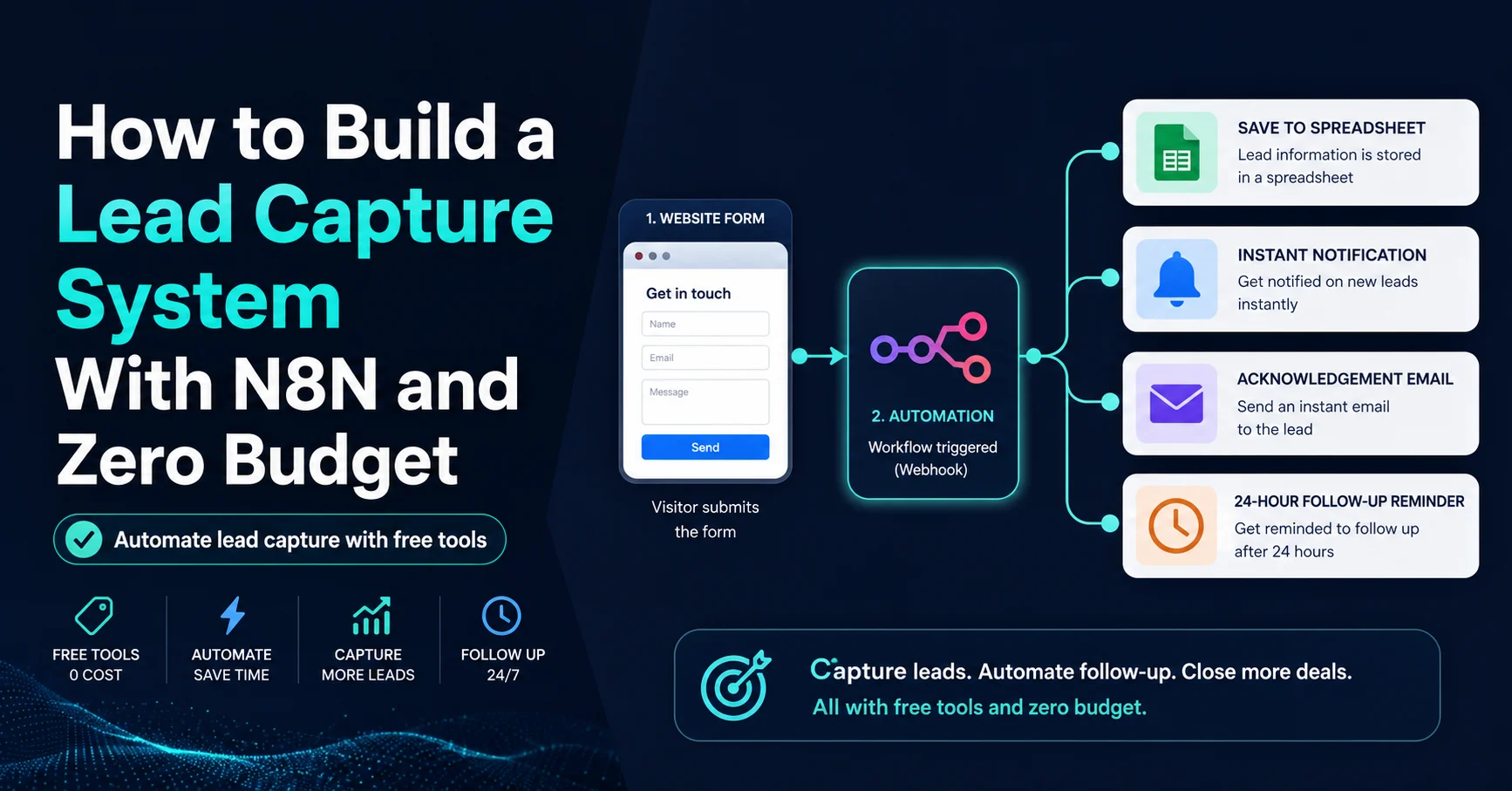
The full flow looks like this: form submission triggers webhook, data is logged to a spreadsheet, you get notified instantly, the lead gets an automatic acknowledgement, and if nothing happens within 24 hours, you get reminded. All of this runs without you touching anything, using tools that cost nothing.
Where this goes from here
Once this foundation is in place, it becomes easy to extend. You can add lead scoring based on which page they came from, route different types of enquiries to different team members, or eventually connect it to a proper CRM if your business grows enough to need one.
But the core principle stays the same: no lead should ever sit unseen in an inbox. If you want help setting this up for your business, this is exactly the kind of system I build for clients. Get in touch and we can map it out for your specific situation.